
Industry-Specific ERP Solutions and Extensions
Every industry has its own processes, workflows and business requirements. We extend ERP systems with industry-specific functionality, ready-to-use solutions and proven applications tailored to the way your business actually operates.

An ERP System Built for Your Industry
Every business needs to manage finance, sales, purchasing, inventory and manufacturing. But the way these processes work in practice can vary significantly from one industry to another.
A transport and logistics company has different requirements from a manufacturer, printing company or a business managing a large and complex product portfolio. That is why a standard ERP system may not always be enough.
Industry-specific ERP combines core ERP capabilities with sector-specific functionality, workflows and tools designed around the needs of a particular business. Instead of adapting your processes to generic software, you get an ERP system that supports the way your company actually works
A transport and logistics company has different requirements from a manufacturer, printing company or a business managing a large and complex product portfolio. That is why a standard ERP system may not always be enough.
Industry-specific ERP combines core ERP capabilities with sector-specific functionality, workflows and tools designed around the needs of a particular business. Instead of adapting your processes to generic software, you get an ERP system that supports the way your company actually works
Business Central as the Foundation of Your Industry-Specific ERP
For our industry-specific ERP solutions, we primarily use Microsoft Dynamics 365 Business Central, a modern ERP solution that connects core business processes – from finance, sales and purchasing to inventory, manufacturing, project management and service.
One of the key strengths of Business Central is its flexibility and extensibility. Standard ERP functionality can be enhanced with ready-to-use industry solutions, specialized apps, integrations and custom extensions tailored to your specific business requirements. At the same time, you retain a common ERP core and benefit from the broader Microsoft ecosystem.
The result is a connected and scalable ERP solution that can grow with your business and adapt to changing processes, without having to build everything from scratch.
One of the key strengths of Business Central is its flexibility and extensibility. Standard ERP functionality can be enhanced with ready-to-use industry solutions, specialized apps, integrations and custom extensions tailored to your specific business requirements. At the same time, you retain a common ERP core and benefit from the broader Microsoft ecosystem.
The result is a connected and scalable ERP solution that can grow with your business and adapt to changing processes, without having to build everything from scratch.
Industry-Specific ERP Solutions for Your Business
Every industry has its own processes, requirements and operational challenges. That is why we offer ready-to-use industry-specific ERP solutions that extend standard ERP functionality with capabilities designed for specific industries and business models.
Microsoft Dynamics 365 Business Central Extensions
Microsoft Dynamics 365 Business Central can be extended to match the specific needs of your business. With our own and partner-developed Business Central extensions and apps, we add functionality for finance, accounting, warehouse management, planning, reporting, document processing, product data management, integrations and other business processes.
When Standard ERP and Extensions Are Not Enough
Every business has unique processes and requirements that may not be fully covered by standard Microsoft Dynamics 365 Business Central, an industry-specific ERP solution or existing extensions.
When that happens, we can provide custom Business Central development and integrations tailored to your specific needs. Our approach is to make the most of standard functionality and proven extensions first, and use custom development only where it delivers real business value. This may include custom workflows, process automation, reporting, specialized functionality or integrations with other business systems.
Beyond Business Central, we also deliver solutions and applications for other Microsoft Dynamics 365 products that help digitalize and automate additional business processes.
When that happens, we can provide custom Business Central development and integrations tailored to your specific needs. Our approach is to make the most of standard functionality and proven extensions first, and use custom development only where it delivers real business value. This may include custom workflows, process automation, reporting, specialized functionality or integrations with other business systems.
Beyond Business Central, we also deliver solutions and applications for other Microsoft Dynamics 365 products that help digitalize and automate additional business processes.

František Kulvajt
Sales Director Aricoma Enterprise Applications
Your Microsoft ERP and Business Applications Partner
An ERP system is more than just software. It connects your key business processes and needs to evolve as your company grows. That is why our work does not end with the implementation of Microsoft Dynamics 365 Business Central.
At ARICOMA, we combine deep ERP expertise with capabilities in system integration, data and business intelligence, process automation, document management, Microsoft 365, Power Platform and cloud technologies. This allows us to look beyond individual ERP functions and design connected solutions that work across your applications, data and business processes.
Drawing on experience from projects across multiple industries, we combine standard Business Central functionality, industry-specific ERP solutions, proven extensions and custom development to meet your business requirements. The result is a scalable and maintainable ERP environment that can continue to evolve with your business.
At ARICOMA, we combine deep ERP expertise with capabilities in system integration, data and business intelligence, process automation, document management, Microsoft 365, Power Platform and cloud technologies. This allows us to look beyond individual ERP functions and design connected solutions that work across your applications, data and business processes.
Drawing on experience from projects across multiple industries, we combine standard Business Central functionality, industry-specific ERP solutions, proven extensions and custom development to meet your business requirements. The result is a scalable and maintainable ERP environment that can continue to evolve with your business.
Frequently Asked Questions about Business Central
Print into PDF

-
SharePoint Modernization as a Foundation for Further Development at Mlékárna Hlinsko

-
Wolters Packaging Czech streamlines operations and grows with Microsoft Dynamics 365 Business Centra
-
SOLSOL switches to cloud ERP Microsoft Dynamics 365 Business Central
-
Modernisation of warehouse management in ČSAD Uherské Hradiště a.s.

-
 Comprehensive transport, forwarding and logistics solutions for O.K. Trans Praha, spol s.r.o.
 -
Digitizing document management with TreeINFO for Metrostav
-
Innovation, automation, efficiency: the Emco success story with Microsoft Dynamics 365
-
 Data warehouse, reporting interface for inventory, sales and HR at MAKRO
 -
Microsoft Dynamics 365 HR for the audit and advisory group BDO
-
B:TECH modernizes business agendas and improves HR and other internal processes
-
Implementation and development of reporting tool for sales and warehouse management
-
Automation has brought Home Credit's HR department paperless HR
-
HB Reavis, international workspace provider, uses Dynamics 365 Finance
-
Building an internal portal on the Microsoft 365 platform for PNS
-
Comprehensive ERP solution for Automobilist with Dynamics 365 Business Central SaaS
-
 Implementation of Dynamics 365 for sales at Engie
 -
Information system Microsoft Dynamics 365 Business Central for Moravia Consulting
-
HAVEL & PARTNERS manages marketing and sales with ACtive CRM and Power Apps

-
G´s Group Holdings uses fast and modern ERP Dynamics 365 Business Central

-
 Implementation of Microsoft AX at Bata, a.s.
 -
 Consolidation of branches and integration of operational systems at Yusen Logistics (Czech) s.r.o.
-
 ERP for Printers and Packaging Manufacturers: How to Gain Control Over Every Job
-
 SharePoint Modernization as a Foundation for Further Development at Mlékárna Hlinsko
-
 Dynamics 365 Business Central extension modules and applications
-
 Microsoft Dynamics 365 HR for the audit and advisory group BDO
-
 AI data extraction directly on your infrastructure: Documents that must not go to the cloud
-
 Don't repeat mistakes already made by others: 5 most common problems when implementing AI
-
 DocumentExtract: AI solution for automatic document data extraction
-
 Document Archiving as the Foundation of Company Management: How to Choose the Right Approach
-
 How to Manage Contracts in a Company: Contract Lifecycle Management Step by Step
-
 Complaints as a Moment of Truth: Customers Forgive Mistakes, Not Chaos
-
 Model Context Protocol (MCP): The New Standard for Connecting AI and ERP
-
 AI Assistant vs. AI Agent: What Is the Difference and How to Get Started with AI in Your Company
-
 AI in ERP: How AI is Transforming Enterprise Resource Management
-
 E-Invoicing Without Delay: Belgium and France Transition to New Standards
-
 History of Dynamics 365: From Axapta to Microsoft Dynamics 365 Finance and Supply Chain Management
-
 B:TECH modernizes business agendas and improves HR and other internal processes
-
Licensing changes in Dynamics 365 Finance and Supply Chain Management - do not uderestimate them!
-
 Extracting Invoices and Other Documents with AI: How to Start and Succeed
-
 Why You Need a DMS Even If You Use Microsoft Dynamics 365: A Comprehensive Approach to DMS
-
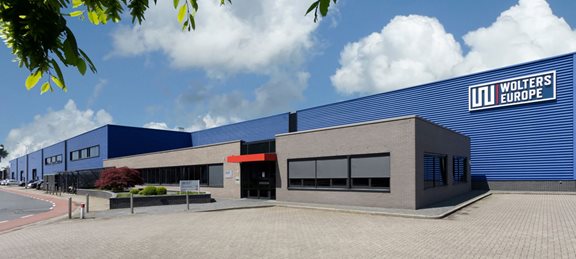 Wolters Packaging Czech streamlines operations and grows with Microsoft Dynamics 365 Business Centra
-
 5 challenges for current ERP system in food industry
Find the Right Solution for Your Busines
Looking for an industry-specific solution, need to extend Business Central with additional functionality, or have unique business requirements? Get in touch and we’ll help you identify the right approach for your business.